

BeautyPlus AI Image Enhancer
BeautyPlus AI Image Enhancer - AI Image Editing AI工具使用教程与评测
FreemiumBeautyPlus AI Image Enhancer is an online AI-powered image enhancement tool that upscales photos to higher resolution with improved clarity and color. Supports batch editing up to 50 images for portraits, landscapes, and pets.
Overview
BeautyPlus AI Image Enhancer is an online AI-powered image enhancement tool from BeautyPlus that uses advanced AI algorithms to automatically analyze and fix image issues like noise, blurriness, and low contrast. Users simply upload photos to get higher resolution, clearer results in seconds. The tool supports portrait, object, scenery, pet, and text enhancement scenarios, with batch processing for up to 50 images. As part of the BeautyPlus ecosystem, users can also access the mobile app for more filters and features with a 7-day free trial.
Core Features
AI Image Enhancement
BeautyPlus integrates advanced AI technology to automatically analyze, identify, and correct image issues including noise, blurriness, and low contrast. Restores photo clarity and high resolution for the best visual results.
Online Image Quality Improvement
Boost pixel count and dimensions while retaining original resolution for crisp, clear images. The AI algorithm ensures no quality loss when upscaling to higher resolutions.
Blurry Photo Correction
Instantly enhance photo quality and eliminate low resolution issues. Sharpen image contrast and increase clarity for detailed photos while preserving crucial details and removing visual noise.
Seconds-fast Processing
A powerful retouching tool that minimizes blemishes and brightens dull skin. Balance colors in underexposed or overexposed shots with saturation, contrast, warmth, and vibrant finish adjustments.
Multi-scenario Support
Optimized for various scenarios including portraits, objects, landscapes, pets, and text clarity enhancement, with algorithms tailored for each photo type.
Batch Processing
Support for uploading and processing up to 50 images simultaneously, significantly improving efficiency for users who need to process large numbers of photos.
How to Use
- Visit BeautyPlus AI Image Enhancer page.
- Click upload or drag images to the upload area, supporting batch selection of up to 50 images.
- Select enhancement type: Portrait, Object, Scenery, Pet, or Text.
- Wait for AI processing, usually completed in just a few seconds.
- Preview the enhanced result and download if satisfied.
- Scan the QR code to download the BeautyPlus App for more features and free trial.
Key Advantages
Fully Automatic AI Processing
No professional skills needed - AI automatically analyzes and optimizes images for professional enhancement with one click.
Batch Processing Capability
Process up to 50 images simultaneously, saving significant time compared to individual processing, ideal for photographers and content creators.
Multi-scenario Optimization
Specialized algorithms for different scenarios like portraits, landscapes, and pets ensure optimal results for each photo type.
Free Online Access
Basic features are completely free with no registration required, lowering the barrier to entry.
Mobile Sync
Seamless use across web and mobile with synced account data for photo editing anywhere.
Watermark-free Export
Premium version supports high-quality watermark-free export for professional use.
Pricing
| Plan | Price | Main Features | Best For |
|---|---|---|---|
| Free | $0 | Limited daily use, basic AI features, watermarked exports | Personal users |
| MAX Monthly | $9.99/month | 200 credits/month, unlimited enhancement, watermark-free | Content creators |
| MAX Yearly | $7.99/month | 20% annual discount, 200 credits/month, all premium features | Professional users |
All paid plans include a 7-day free trial. Visit BeautyPlus pricing page for current rates.
FAQ
Get Help
- Help Center: Visit BeautyPlus Help Center
- Blog Tutorials: Read BeautyPlus Academy for editing tips
- Social Media: Follow @beautyplusapp on Instagram for inspiration and tutorials
- Email Support: Submit questions via the website contact form
Download Client
App Downloads
- iOS App — Requires iOS 12+
- Android App — Requires Android 6+
- APK Download — Direct installation package
Mobile app offers more filters, beauty tools, and editing features. New users enjoy a 7-day free trial.
Other Info
Related Tools
 Luminar NEO
 PhotoCat AI Image Extender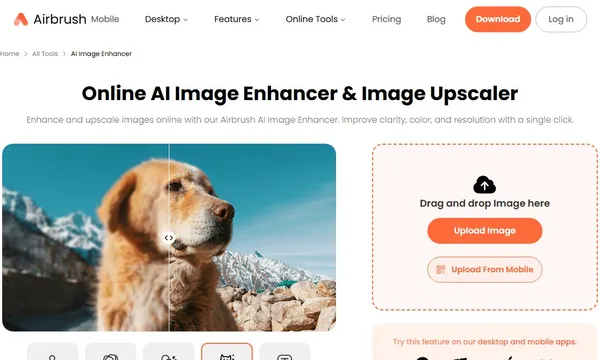
 X-Design
 BetterPic
 Aragon.ai