
MaviBot
MaviBot - AI Chatbots AI工具使用教程与评测
FreemiumMaviBot is an AI-powered chatbot platform that helps businesses automate customer support and lead generation through intelligent conversations.
Overview
MaviBot is positioned as a conversational AI platform designed to enhance customer engagement and operational efficiency. Its main use cases include automating customer service inquiries, qualifying leads, and providing 24/7 support on websites and messaging apps. The target audience includes businesses of all sizes, from startups to enterprises, looking to improve their customer interaction and support workflows without extensive technical resources.
Core Features
- No-Code Builder: MaviBot provides a visual, drag-and-drop interface that allows users to design and deploy complex chatbot conversations without writing any code, making it accessible to non-technical team members.
- Multi-Platform Integration: The bot can be deployed on websites, WhatsApp, Facebook Messenger, and Telegram, enabling businesses to meet customers on their preferred communication channels.
- AI-Powered Conversations: It leverages natural language processing (NLP) to understand user intent and provide human-like, contextual responses, improving the quality of automated interactions.
- Lead Capture & Qualification: The bot can ask qualifying questions, collect contact information, and score leads automatically, feeding data directly into a CRM or spreadsheet.
- Live Chat Handoff: When a conversation requires human intervention, MaviBot can seamlessly transfer the chat to a live agent along with the full conversation history for context.
- Analytics Dashboard: Users get detailed insights into chatbot performance, including conversation metrics, user satisfaction, and lead generation data, to optimize bot flows.
How to Use
- Step 1: Sign Up: Create an account on the MaviBot website to access the dashboard.
- Step 2: Design Conversation Flow: Use the visual bot builder to create dialogue trees, set up responses, and configure triggers for different user inputs.
- Step 3: Integrate Channels: Connect the bot to your desired platforms, such as your website (via a script) or social messaging apps, using the provided integration guides.
- Step 4: Train the AI: Provide sample questions and answers to train the NLP model for better understanding of your specific domain and user queries.
- Step 5: Test & Publish: Thoroughly test the bot conversation in a preview mode, then publish it to make it live on your connected channels.
- Step 6: Monitor & Optimize: Use the analytics dashboard to review performance and iteratively improve the bot's conversation flows based on user interactions.
Key Advantages
- Ease of Use: The no-code platform significantly reduces the barrier to entry, allowing marketing and support teams to build and manage bots independently.
- Omnichannel Presence: Deploying a single bot across multiple popular platforms from one dashboard provides a unified customer experience and maximizes reach.
- Intelligent Automation: The AI-driven understanding goes beyond simple button clicks, handling open-ended questions and reducing misrouted conversations.
- Seamless Human Handoff: The smooth transition to live agents ensures complex or sensitive issues are handled personally, maintaining customer satisfaction.
- Actionable Insights: The built-in analytics provide clear data on bot performance and user behavior, enabling data-driven decisions for continuous improvement.
FAQ
Do I need coding skills to use MaviBot?▼
On which platforms can I deploy my MaviBot?▼
How does the AI understand what my users are asking?▼
Can the chatbot transfer conversations to a human agent?▼
What kind of analytics and reports are available?▼
Get Help
- Help Center / Documentation: Access comprehensive guides, tutorials, and articles on setting up and using all features of the MaviBot platform.
- Email Support: Contact the support team directly via email for personalized assistance with technical issues or account-related questions.
- Live Chat: Get real-time help through a live chat interface available within the MaviBot dashboard for immediate support.
Download Client
Web application — accessible directly in browser at [https://mavibot.ai/](https://mavibot.ai/, no download required.
Related Tools
He
H
HelpLoom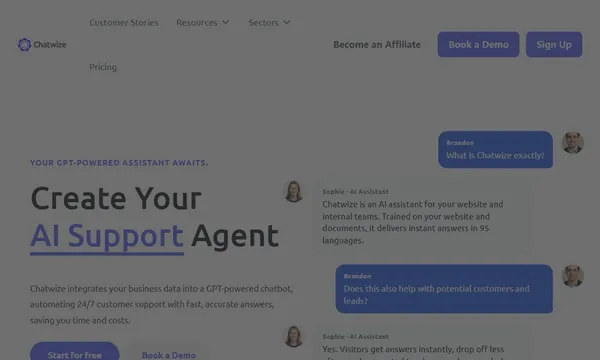
 ChatWize.ai
 PeopleAI
 Avatar
 Kya
Kya
L
Lyro