
CanvasGPT
CanvasGPT - Meeting & Collaboration AI工具使用教程与评测
FreemiumCanvasGPT is a spatial AI workspace that lets users connect ideas, build prototypes, and create various content on an infinite canvas, breaking the limitations of traditional linear tools.
Overview
CanvasGPT is an innovative spatial AI workspace platform that breaks the limitations of traditional linear tools, allowing users to see everything at once on an infinite canvas, naturally connecting architecture, code, and ideas. The platform provides a boundless work plane for deep work, keeping complex architectures and research networks always visible, organized, and accessible.
The platform supports multimodal input, capable of unifying audio, visual, and text content including PDFs, screenshots, and voice notes, integrating them into a coherent knowledge graph. CanvasGPT's AI analyzes the topology of the canvas, understanding connections, clusters, and proximity relationships, not just isolated text.
Users can use CanvasGPT for conceptualization (turning fragmented thoughts into logic), synthesis (seeing the signal in the noise), and materialization (instant realization from idea to interface). The platform supports various application scenarios from complex research to rapid prototyping, including research synthesis, internal tool development, and business strategy planning.
Core Features
- Infinite Spatial Canvas: Provides a boundless work plane keeping complex architectures and research networks always visible, organized, and accessible
- Visual Attention Analysis: AI analyzes canvas topology, understanding connections, clusters, and proximity relationships, not just isolated text
- Auto Layout: Always maintains a clean interface regardless of complexity, instantly organizing workspace into structured columns and grids
- Unified Multimodal Processing: Single engine unifies audio, vision, and text from PDFs, screenshots, and voice notes into a coherent knowledge graph
- Model Orchestration: Seamlessly switch between Claude Opus, GPT 5.2, and Gemini 3 to leverage specific strengths of world's top models for every task
- Universal Export: Every block is a shareable artifact, instantly exportable as code, high-res images, or public links
- Auto-Organize Notes: Automatically organizes messy notes, turning fragmented thoughts into structured content
- Voice-to-Mind-Map: Quickly create mind maps through voice input, AI responds in under a second and builds what you need
- Semantic Clustering: Intelligently identifies and organizes related content, discovering connections you might have missed
- Chat with 20+ PDFs: Converse with 20+ PDF documents at once, extracting key information
- Visualize Citation Links: Visually map citation relationships into a living graph of project knowledge
- Auto-Summarize Webs: Automatically extract and summarize insights from complex document networks
- Text-to-UI Prototyping: Describe tools, workflows, or user interfaces, instantly rendering into functional artifacts
- Export React & Tailwind Code: Export prototypes as usable React and Tailwind CSS code
- Interactive Components: Create testable, tweakable interactive interface components
- Research Synthesis: Automatically search academic databases, extract 20+ relevant papers, extract key findings, and map theoretical relationships in connected knowledge graph
- Internal Tool Building: Build and export custom interfaces bridging daily operations and strategic oversight
- Business Strategy Planning: From concept to actual business plan, deeply analyze market to discover specific revenue streams, operational needs, and strategic assets
How to Use
- Register Account: Visit CanvasGPT website and click "Start Building" or "Sign In" button to register
- Create Canvas: After logging in, create a new infinite canvas workspace
- Input Content: Add content through text, voice (hold spacebar to speak), or upload files (PDFs, screenshots, etc.)
- Connect Ideas: Drag, drop, and connect different ideas, notes, and concepts on the canvas
- Use AI Features: Leverage AI to auto-organize notes, create mind maps, extract insights, or generate prototypes
- Select AI Model: Switch between Claude Opus, GPT 5.2, and Gemini 3 based on task requirements
- Build Prototypes: Describe desired tools or interfaces, AI instantly renders into functional components
- Export Content: Export canvas blocks as code, images, or public links
- Team Collaboration: Use team plan to collaborate in real-time in shared workspaces
- Manage Versions: Save and manage multiple versions of applications
Key Advantages
- Break Linear Limitations: No longer forced to think step by step, can see everything at once and understand overall structure
- Spatial Thinking: Freely organize and connect ideas on infinite canvas, more aligned with natural human thinking
- Multimodal Unity: Seamlessly integrate text, voice, images, and PDFs into unified knowledge system
- Instant Prototyping: From idea to functional interface in seconds, dramatically accelerating development process
- Intelligent Connection Discovery: AI automatically discovers hidden connections and relationships between content
- Flexible AI Model Selection: Choose most suitable top AI model based on task characteristics
- Instant Code Export: Generated prototypes can be directly exported as usable React and Tailwind code
- Research Efficiency Boost: Literature reviews shortened from weeks to days, automatically extracting and mapping key information
- Development Cost Savings: Launch internal tools same-day, saving $15,000+ in development costs
- Accelerated Time-to-Market: Go to market faster, discover opportunities others miss
- Real-time Team Collaboration: Team members can collaborate in real-time on same canvas
- Enterprise-Grade Security: Data is private by default, users have full control over content visibility
Pricing
| Tier | Price | Description |
|---|---|---|
| Free | $0/month | Access to standard AI models, 50 messages per month, build and export any canvas block, connect apps into workflows, no credit card required |
| Starter | $20/month | Access to all AI models, 500 messages per month, universal export for all blocks, 10 saved versions per app, unlimited workspaces |
| Professional | $49/month | Everything in Starter, 1000 messages per month, advanced image generation and editing capabilities, built-in login portals for apps, unlimited versions per artifact, priority support |
| Team | $59/month/seat | Everything in Pro, 1500 AI messages per seat, shared workspaces, unified team billing, team management, dedicated account manager, minimum 5 seats |
Note: All plans include all features and tools. Upgrade, downgrade, or cancel anytime. Yearly plans get 20% discount. Custom enterprise solutions available.
Get Help
- Official Website: https://canvasgpt.com/
- Contact Support: https://canvasgpt.com/contact
- Sales Inquiry: https://canvasgpt.com/contact
- Use Cases: https://canvasgpt.com/examples
- Planning Use Case: https://canvasgpt.com/planning
- Creative Use Case: https://canvasgpt.com/creative
- Research Use Case: https://canvasgpt.com/research
- Tools & Automation: https://canvasgpt.com/tools-and-automation
- Manifesto: https://canvasgpt.com/manifesto
- Privacy Policy: https://canvasgpt.com/privacy-policy
- Terms of Service: https://canvasgpt.com/terms-and-conditions
- Twitter: https://twitter.com/canvasgpt
- Discord Community: https://discord.gg/rtPhppVw87
- Reddit Community: https://reddit.com/r/canvasgpt
Download Client
This tool is a web application that can be used directly in the browser without downloading a client. Visit https://canvasgpt.com/ and register an account to get started.
Related Tools
 Sideconvo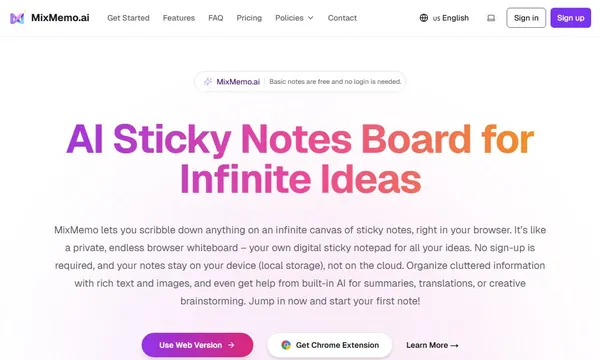
 MixMemo
 CodeKudu