
Vicoa
Vicoa - AI Programming AI工具使用教程与评测
FreeVicoa is a remote AI coding agent tool that lets you run Claude Code, Codex, and OpenCode from any device. Code anywhere with cross-device sync, real-time notifications, and visual session history.
Overview
Vicoa lets your AI coding agents follow you everywhere. Install once, access Claude Code, Codex, and OpenCode from any device. Whether you're on your phone during commute, tablet in the park, or laptop at home, your coding agents follow you everywhere. Say goodbye to terminal chaos and welcome intuitive visual interface for managing your AI development workflow.
Core Features
Code Anywhere
Phone, tablet, or laptop, your AI coding agents follow you everywhere. No need to switch between devices, continue your coding sessions seamlessly.
UI for Coding Agents
Escape terminal chaos with a clean visual interface for managing your agents. Browse, search, and revisit past conversations with intuitive navigation.
Visual Session History
Browse, search, and revisit past conversations with intuitive navigation. Never lose important context in your development workflow.
Real-time Sync
Start on desktop, continue on mobile, instantly syncing across all devices. Your workflow isn't limited by device boundaries.
Instant Notifications
Never miss a beat. Get alerted the moment your agent needs input or completes tasks. Real-time updates keep you in control.
Setup in Seconds
One command to install. Zero configuration. Start coding immediately.
How to Use
- Run pip install vicoa && vicoa in terminal to install Vicoa
- Launch Vicoa and authorize access to your Claude Code, Codex, and OpenCode
- Download Vicoa app to your mobile device
- Scan QR code or visit App Store to download and install
- Launch app on any device, your agents automatically sync
Supported AI agents include Claude Code, Codex, and OpenCode. Full compatibility with major AI development tools.
Key Advantages
Code on the Go
Turn every coffee break, commute, and wait time into coding time. Maximizing your fragmented time effectively.
Cross-Device Experience
Started on laptop? Continue from your phone during lunch break. Workflow flows seamlessly across devices.
Intuitive UI
Touch interface optimized for mobile, actually能够在手机上完成实际工作。No more Desktop-only limitation.
Real-time Collaboration
Get notified immediately when agents need input, respond instantly. No more checking progress constantly.
Ship Faster
Now ship 3x faster. Start features on laptop, polish on mobile during downtime. The cross-device sync is seamless.
Pricing
| Plan | Price | Key Features | For |
|---|---|---|---|
| Free | 0/month | 50 messages/month, Web & mobile access, real-time notifications, community support | Individual developers |
| Pro | 9.99/month | 500 messages/month, multi-device sync, advanced editor, priority support | Professional developers |
| Enterprise | 29/month | Unlimited messages, team collaboration, API access, dedicated support | Development teams |
Annual subscription saves 23%.
FAQ
Get Help
Support channels:
- Documentation https://docs.vicoa.ai - Complete usage guide and technical documentation
- Support Email support@vicoa.ai
- GitHub Issues https://github.com/vicoa/vicoa/issues - Report issues and feature requests
Active community support with responsive developers.
Download Client
Desktop Downloads
- iOS App https://apps.apple.com/app/id6751626168 — iOS 15+, available on App Store
- Android App https://play.google.com/store/apps/details?id=ai.vicoa — Android 8+
- Windows Client https://vicoa.ai/download/windows — Windows 10/11 supported
- macOS Client https://vicoa.ai/download/mac — macOS 12+
- Chrome Extension https://chrome.google.com/webstore/detail/vicoa — Chrome/Edge supported
App includes QR code download and App Store links.
Other Info
Related Tools
- Claude Code /tool/claude-code — Anthropic's AI programming assistant
- GitHub Copilot /tool/copilot — GitHub's AI coding companion
- Codeium /tool/codeium — Fast AI programming assistant
Related Tools
 Tabnine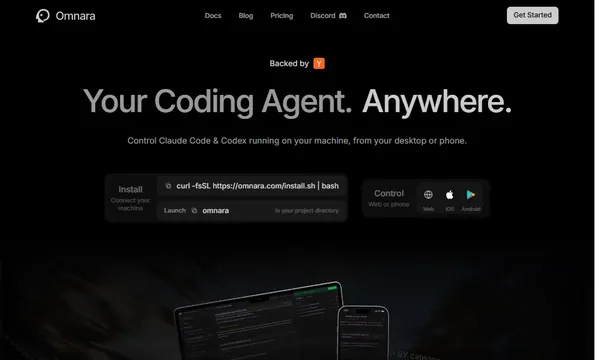
 Omnara
 AppWizzy
 YouWare