ngram
ngram - AI Video AI工具使用教程与评测
Freengram is an AI-powered video creation tool that helps you create polished, on-brand videos. Features screen recording, AI voiceover, smart captions, and automated editing. Ideal for creators and enterprises.
Overview
ngram is an AI-powered video creation tool that helps users create polished, on-brand video content. It integrates screen recording, video editing, and AI generation features into one platform, allowing users to produce high-quality videos quickly. ngram supports automatic caption generation, AI voiceover, smart editing, and other AI-powered features that significantly lower the barrier to video creation. The tool is ideal for content creators, marketing professionals, educators, and anyone who needs to create professional videos quickly. With ngram, users can complete video production that would normally take hours in just a few minutes.
Core Features
Recording & Editing
Screen Recording Editor - Capture and edit in one place; Smart Zoom - Auto-focus on key actions; Auto-Cut - Remove silences automatically; Cursor Emphasis - Highlight mouse movements; Callouts - Add annotations easily; Clip Extraction - Extract key moments.
AI-Powered Features
AI Voiceover - Natural voice narration; Captions - Accurate subtitles instantly; Script Generation - AI-written video scripts; AI Visuals - Create stunning graphics; Motion Graphics - Professional animations; Music - Add background music.
Collaboration & Export
Brand Kit - Consistent brand styling; Multi-Format Export - Export for any platform; Collaboration - Work together seamlessly; Enterprise Integrations - Connect your tools; Enterprise Analytics - Video performance insights; Enterprise Security - Advanced security controls.
How to Use
- Visit the official website and sign up for an account.
- Click 'Start Recording' or upload existing video files.
- Use screen recording or camera recording features, supporting simultaneous screen and camera video recording.
- After recording, enter the editing interface and use smart zoom, auto-cut, and other features for quick editing.
- Add AI voiceover: Select voice type and tone, input text or use voice-to-text to generate narration.
- Generate captions: AI automatically recognizes speech and generates accurate captions, manageable manually.
- Add brand elements: Upload logo, set brand colors.
- Export as MP4, GIF format, choosing resolution and quality settings.
Key Advantages
AI-Driven Efficiency Improvement
ngram's AI features automatically handle repetitive tasks like caption generation, voiceover, and video editing, reducing video production time by over 80%.
Brand Consistency
Brand Kit feature ensures all videos maintain consistent brand styling, including colors, fonts, logo positioning, etc.
Multi-Platform Support
Supports Web, Windows, macOS and other platforms with automatic account data synchronization.
Easy to Use
Simple and intuitive interface design allows new users to get started quickly without training, creating professional videos in 20 minutes.
Smart Zoom and Focus
Smart Zoom automatically focuses on key actions in the video, ensuring the audience focuses on important content.
Pricing
| Plan | Price | Key Features | Target Users |
|---|---|---|---|
| Free | Free | 300 credits, 30s AI video, 720p with watermark | Individual trials |
| Basic | $17.40/month | 1800 credits, 3min AI video, no watermark | Individual creators |
| Premium | $35.40/month | 3600 credits, 6min AI video, 1080p/4K | Professional creators |
| Pro | $179.40/month | 18000 credits, 30min AI video, Brand Kit | Enterprise teams |
All paid plans offer 7-day free trial. Prices subject to change, see pricing page for details.
FAQ
Get Help
Online Help Center
Visit the Help Center for detailed usage guides and FAQs.
Email Support
Contact support@ngram.com for assistance.
Community Forum
Join the user community to exchange tips with other users.
Download Client
Desktop Client
- Windows Client — Windows 10/11 supported
- macOS Client — macOS 12+ supported, Apple Silicon version available
- Web Version — Works with all modern browsers
Other Info
Related Tools
- Screentell — Professional screen recording and video editing tool
- SpreadSimple — No-code website builder using Google Sheets
Related Tools
 Huiwa AI Video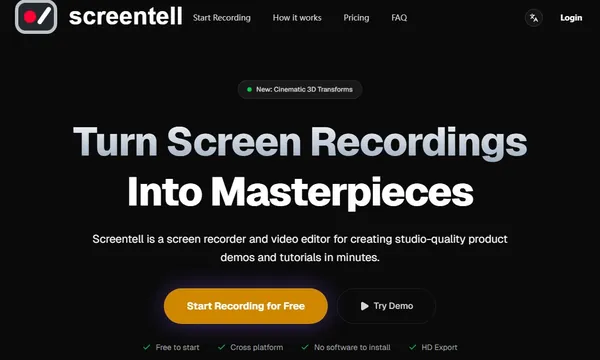
 Screentell
 SoundView
 RSW Sora 2 AI Studio