

Trupeer
Trupeer - AI Video AI工具使用教程与评测
FreemiumTrupeer is an AI-powered video and documentation generation tool that automatically creates professional product videos and guides from screen recordings, supporting 65+ languages with AI script generation, professional voiceover, automated zoom effects, and more for product demos, tutorials, and documentation.
Overview
Trupeer is a revolutionary AI-powered video and documentation generation tool designed for product teams, marketers, and technical writers. The tool transforms simple screen recordings into professional-grade product videos and guides without requiring complex video editing skills. Trupeer uses advanced AI technology to automatically generate professional scripts, provide studio-quality voiceovers, add automated zoom effects and annotations, and supports 65+ languages. Users only need to record their screen, and AI handles the rest, including correcting grammar, eliminating filler words, and adding professional effects. This makes creating high-quality product demos, user guides, and training videos easier than ever before.
Core Features
AI Script Generation
Automatically generates professional scripts from screen recordings, correcting grammar, eliminating filler words, and improving professionalism.
Studio-Quality Voiceover
Provides professional voiceovers in multiple languages and accents without needing external voiceover services.
Automated Zoom Effects
Automatically adds zoom effects to highlight key actions without manual editing.
AI Avatars
Supports adding AI virtual presenters to enhance video professionalism and appeal.
Brand Customization
Supports adding brand logos, colors, fonts, and more to maintain brand consistency.
Multi-language Support
Supports 65+ languages for easy creation of international content.
Native Screen Recording
Built-in screen recording tool eliminates the need for third-party software.
Multi-format Export
Supports exporting in multiple video formats and resolutions.
How to Use
- Visit Trupeer website or install the Chrome extension
- Register an account or log in with Google account
- Click "Start Recording" or use the Chrome extension
- Record your screen demonstrating your product or process
- After recording, upload to Trupeer
- Select target language and voiceover style
- AI automatically generates script, voiceover, and effects
- Preview the generated video
- Make necessary edits and adjustments
- Export or share the video
Key Advantages
Save Time
Create finished videos in minutes instead of hours compared to traditional video production.
Reduce Costs
No need to hire professional video editors or voiceover actors, significantly reducing production costs.
Professional Quality
Generated videos have professional-grade quality suitable for business use.
Easy to Use
No video editing experience needed; anyone can create professional videos.
Multi-language Support
Easily create multi-language versions to expand your audience.
Consistency
Ensure all videos maintain consistent style and quality.
Quick Iteration
Rapidly create multiple versions for A/B testing.
Pricing
| Plan | Price | Features | Audience |
|---|---|---|---|
| Free | Free | 3 videos/month, basic features | Individual trials |
| Basic | $29/month | 20 videos/month, all languages | Small teams |
| Professional | $99/month | Unlimited videos, advanced features, priority support | Professional teams |
| Enterprise | Contact sales | Custom features, dedicated support, API access | Large enterprises |
All paid plans include 14-day free trial. Annual billing includes 20% discount.
FAQ
Get Help
- Help Center
- Documentation and Tutorials
- Community Forum
- Email support: support@trupeer.ai
- Live chat support (business hours)
Download Client
Other Info
Related Tools
 Screentell
 CAMB.AI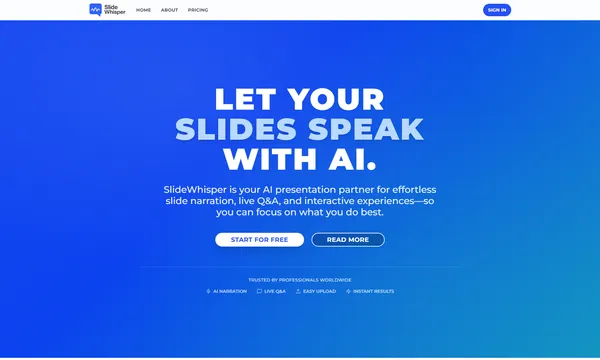
 SlideWhisper