
Playground AI
Playground AI - AI Image Generation AI工具使用教程与评测
FreePlayground AI is a modern AI image generation platform featuring stable diffusion-driven creative image creation tools, supporting text-to-image, image editing, and artistic style conversion functions.
Overview
Playground AI is a modern AI image generation platform based on Stable Diffusion algorithms that allows users to create stunning artworks through simple text input. The platform focuses on generating visually stunning content with specific aesthetic styles, achieving the perfect balance between artistry and controllability. Whether professional designers or beginners, users can unleash infinite creativity with Playground AI to create high-quality image content. It provides an intuitive and easy-to-use interface supporting everything from basic text-to-image to advanced image editing.
Core Features
Text-guided Generation
The ability to create unique visual content using natural language descriptions, supporting detailed descriptions of art styles, media, colors, and composition instructions.
High-quality Output
Utilizes advanced algorithm models to generate high-resolution images suitable for printing, digital media, and different purposes.
Creative Control Adjustment
Provides multiple parameter options including style weights, negative keywords, and random seeds to finely control generation results.
Image Editing Functionality
Supports editing of existing images, including canvas expansion, color and shape replacement, and local redrawing capabilities.
Community Sharing and Interaction
Provides a vibrant creator community where users can showcase works, gain inspiration, and collaborate with other artists.
How to Use
Visit Playground AI website register account, and select suitable subscription plan for your usage.
In the creation page, input a detailed text prompt describing your ideal image, using clear and specific descriptor words.
Adjust generation parameters such as image dimensions, sampling steps, CFG scales, and random seeds to optimize output quality.
Select favorite image style presets, and use negative prompt words to exclude unwanted content characteristics.
Click generate button, wait while AI processes, typically obtain preliminary result in seconds, repeat as needed for adjustments.
Save favorite works in generation gallery, or download original images, and use editing tools for further post-production improvement.
Key Advantages
Infinite Creative Resource
No longer restrained by limitations of traditional image libraries, generate completely customized image resources as needed.
Cost-effectiveness
Drastically reduce production budgets for traditional photography and illustrations, improving project ROI.
Rapid Iteration Capability
Test hundreds of creative ideas in minutes, rapidly validate visual concepts and design plans.
Ease of Use
No need to learn complex image processing techniques, master basic operation skills in minutes.
Pricing
| Plan | Price | Features | Audience |
|---|---|---|---|
| Basic | $0/month | 500 generations, basic features | Personal trial |
| Creator | $15/month | 5000 generations, advanced features | Individual designers |
| Pro | $30/month | 20,000 generations, commercial license | Professional studios |
| Enterprise | $120/month | 100,000 generations, API access | Enterprise users |
All paid plans support commercial usage, providing copyright licenses, see pricing page for details.
FAQ
Get Help
- Official Documentation: Help Center
- User Guides: Video Tutorials
- Community Support: Creator Community
- Technical Support: Contact Support
Other Info
Related Tool Recommendations
- Midjourney — Advanced artistic creation AI image generator
- DALL-E — OpenAI's innovative image generation model
- Stable Diffusion — Open-source advanced image generation model
Related Tools
 Craiyon
 Vidocu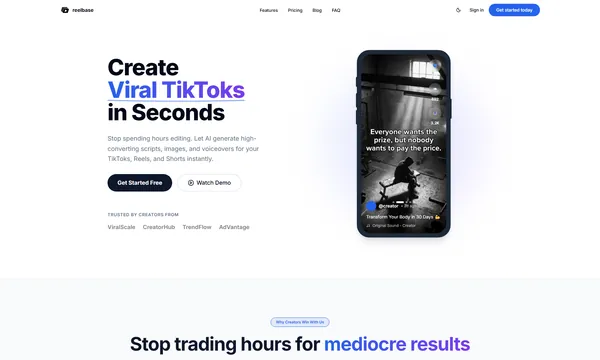
 ReelBase